
AR Draw: Sketch & Trace Art - Detailed Review and Download Guide
Screenshots


Introduction
AR Draw: Sketch & Trace Art is an innovative application developed by Pusilung that harnesses the power of augmented reality (AR) to transform your drawing experience. Whether you're a novice looking to learn how to draw or an experienced artist seeking to blend reality with your creative expression, this app offers the perfect platform. With AR Draw, you can easily sketch, trace, and bring your artistic vision to life, using any surface as your canvas. This unique tool not only enhances your drawing skills but also allows you to create stunning artworks that merge the real and virtual worlds.
Graphics & Gameplay
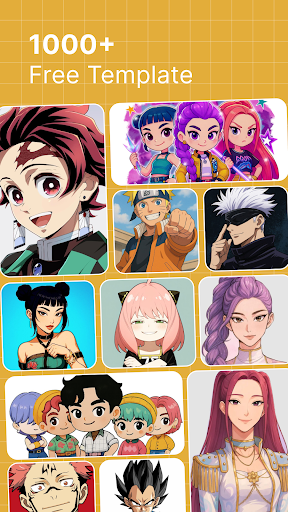
The visuals in AR Draw are both intuitive and engaging, providing an immersive experience for users. The app boasts a clean and user-friendly interface, which is crucial for artists at any skill level. The screenshots reveal a rich color palette and a diverse range of templates that cater to various artistic styles. The app's AR capabilities are particularly noteworthy, as they allow users to overlay their drawings onto real-world environments. This feature is beautifully captured in the gameplay, where users can see their sketches come to life against different backgrounds and settings. The fluidity with which the app integrates drawings into the real world enhances the overall artistic experience.
Key Features
- Draw with Camera: Utilize the innovative 'Draw with Camera' feature to blend your sketches with the real world. Just position your phone on a stable surface, and watch your art merge seamlessly with your surroundings.
- Diverse Templates Library: Access a vast collection of templates across various categories, providing endless inspiration for your artistic journey.
- Step-by-Step Drawing Guidance: Follow easy-to-understand tutorials that simplify complex drawings, making the process enjoyable for beginners while still enriching for seasoned artists.
- Draw from Gallery Photos: Personalize your artwork by converting photos from your gallery into unique sketch templates.
- Drawing Sketch Opacity Adjustment: Fine-tune the transparency of your sketches to achieve the perfect blend with the background, enhancing the overall aesthetic of your work.
- Flash for Drawing: Illuminate your sketches even in low-light conditions, ensuring clarity and detail in your artistic vision.
- Image Lock and Flip: Prevent accidental movements of your artwork and experiment with new perspectives with the image lock and flip features.
Mod Features
While the standard version of AR Draw: Sketch & Trace Art is packed with features, a modded version could enhance the experience even further. Here are some plausible mod features:
- Premium Unlocked: Access all premium templates and advanced tools without any cost, allowing for an unrestricted artistic experience.
- No Ads: Enjoy a seamless drawing experience without interruptions from advertisements.
- Unlimited Money: Utilize unlimited resources to unlock exclusive features and templates, giving you the freedom to explore your creativity without limitations.
- Enhanced Performance: Optimized performance for faster rendering and smoother operation, ensuring that your creative flow is never interrupted.
How to Install APK on Android
Installing AR Draw: Sketch & Trace Art on your Android device is a straightforward process. Follow these steps for a successful installation:
- Download the APK file from a trusted source like the provided link.
- Before installation, ensure that your device allows installations from unknown sources. Go to Settings > Security > Install unknown apps, and enable the option for the browser or file manager you will use.
- Locate the downloaded APK file in your device's file manager.
- Tap on the APK file to begin the installation process.
- Once the installation is complete, open the app and start creating your art!
Conclusion
AR Draw: Sketch & Trace Art stands out as an exceptional tool for artists of all levels. By utilizing augmented reality, it provides a unique and immersive way to create and learn. With its wide array of features and user-friendly interface, it offers both beginners and experienced artists the opportunity to explore their creativity in a novel way. Download AR Draw today and unleash your artistic potential!
Ready to start your artistic journey? Download AR Draw: Sketch & Trace Art here!