
Tropical Hurricane Tracker: An In-depth Review
Screenshots
Introduction
Tropical Hurricane Tracker is a vital app developed by JPL Technical Solutions, designed to provide users with the most up-to-date information about hurricanes, tropical storms, and disturbances occurring in the Atlantic, Central Pacific, and Eastern Pacific basins. In an era where accessing timely weather information can be a matter of safety, this app stands out for its simplicity and user-friendliness. Unlike many apps that are cluttered with excessive data and complicated interfaces, Tropical Hurricane Tracker focuses on delivering essential information in a straightforward manner. This makes it especially useful for residents in hurricane-prone areas who need to stay informed and prepared.
Graphics & Gameplay
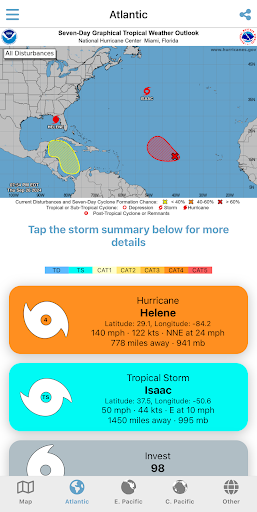
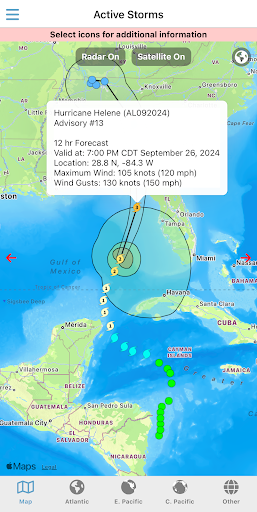
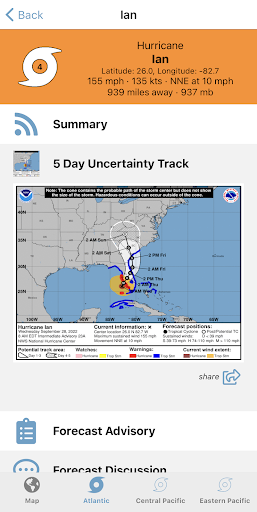
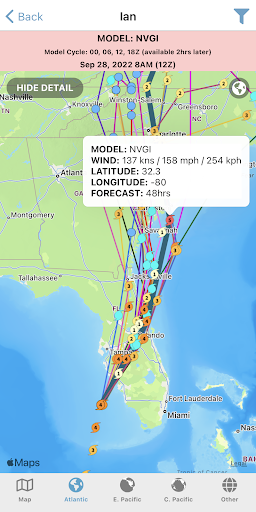
The visual layout of Tropical Hurricane Tracker is both clean and functional. The app features a range of colorful, interactive maps that clearly delineate hurricane tracking zones, making it easy for users to navigate through critical data. The screenshots depict a user-friendly interface with vibrant maps that highlight storm paths and intensity, enhancing the app's accessibility. For instance, the hurricane tracking maps by region are visually distinct, ensuring users can quickly identify which areas are affected by the storms. The inclusion of NOAA forecasts and historic storm tracks is depicted in a manner that is easy to digest, allowing users to grasp potentially overwhelming information without feeling lost. Additionally, safety and preparedness information is presented in an engaging but straightforward manner, making it visually appealing and informative.
Key Features
- Hurricane Tracking Maps by Region: The app offers detailed maps for the Central Pacific, Eastern North Pacific, and Atlantic regions, allowing users to monitor storm movements closely.
- NOAA Forecasts: Users can access the latest forecasts from the National Oceanic and Atmospheric Administration, ensuring they are informed about upcoming weather changes.
- Interactive Global Map: The global map feature allows users to view storms internationally and understand their potential impact on different areas.
- Push Notifications: Stay updated with real-time alerts regarding storm developments and changes in the forecast, ensuring you are never caught off guard.
- Ensemble Models: The app includes ensemble forecasting which provides a range of possible future scenarios based on various models, enhancing predictive accuracy.
- Historic Seasonal Maps: Users can view past hurricane seasons, giving context to current storms and helping to understand patterns.
- Historic Storm Tracks: Access to previous storm paths aids in analyzing potential future impacts.
- Saffir-Simpson Scale: The app educates users on storm categories, helping them understand the severity of hurricanes.
- Safety & Preparedness Information: Essential guidelines and tips are provided to help users prepare for potential hurricane impacts.
Mod Features
For those looking to enhance their experience, the following mod features could be considered:
- Premium Unlocked: Access all advanced features without any restrictions, including exclusive forecasting data and enhanced interactive maps.
- No Ads: Enjoy an uninterrupted experience while tracking storms, as ads can sometimes distract from vital information.
- Unlimited Money: While the app doesn't have in-app purchases, this feature could hypothetically allow users to donate to storm relief funds directly through the app.
- Custom Alerts: Set personalized alerts for specific storms or regions of interest, ensuring you receive only the notifications that matter most to you.
How to Install APK on Android
Installing the Tropical Hurricane Tracker APK on your Android device is a straightforward process. Follow these steps to get started:
- Download the APK: Visit the official download link for Tropical Hurricane Tracker at this site.
- Enable Unknown Sources: Before installing, make sure to allow installations from unknown sources by going to your device's Settings > Security > Unknown Sources, and toggle the option on.
- Locate the APK: Once the download is complete, navigate to your device's file manager and find the APK file.
- Install the APK: Tap the APK file to begin the installation process. Follow the on-screen instructions to complete the installation.
- Open the App: After installation, find the Tropical Hurricane Tracker icon on your home screen or app drawer, and start tracking storms!
Conclusion
Tropical Hurricane Tracker is an indispensable app for anyone living in or near hurricane-prone areas. Its user-centric design and wealth of features make it a top choice for tracking storms and staying informed. Whether you're a casual observer or someone who needs to keep a close watch on weather patterns, this app provides vital information in a manner that is easy to understand and navigate. Don't wait until a storm is approaching—ensure your safety and preparedness by downloading Tropical Hurricane Tracker today!
Download Tropical Hurricane Tracker now: Tropical Hurricane Tracker APK